For parents
An AI you can trust with your kid.
chud is a general assistant for writing, planning, code and research, with 12 school courses written out unit by unit. It shows the reasoning behind the help it gives, it has real protections for minors, it carries no ads, and it sells nobody's data. Here is exactly how it works.
Ask chud for help with an essay and what comes with it is the reasoning: the thesis move, why the evidence sits in that order, and the paragraph worth rewriting in your child's own voice. It tells the truth when the truth is unwelcome, admits when it doesn't know, and never flatters. What it will and won't write for your child, and every other commitment it makes, is public in The chud Constitution.
Protections for minors
Conservative by default
Mature settings (like unfiltered language) are off by default and must be deliberately switched on — behind an explicit 18+ confirmation. Full age verification isn't built yet; until it is, defaults stay conservative for everyone.
Never sold
We never sell anyone's data, and we never share it with advertisers or data brokers.
No ads, no countdowns
No ads and no fake countdowns.
Memory on the record
What chud remembers about your kid is a visible list in Settings — every entry readable, every entry deletable on its own.
The Settings list in the app. Open Memory, or Account and data.
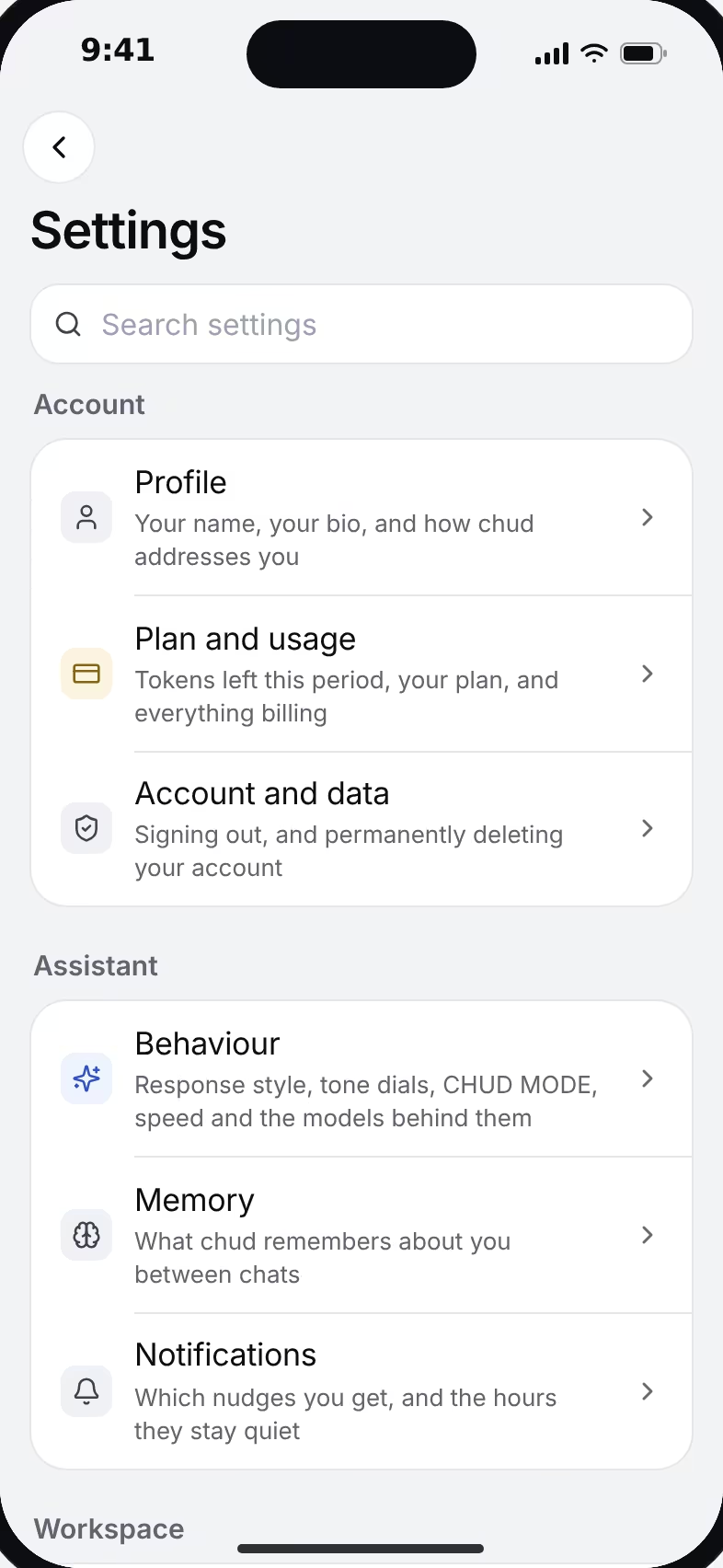
A phone showing chud's Settings as a list: Account, Assistant and Workspace groups, each row with a short description.
Built for teens
The stance behind every row here is the same: trust the teen, guard the edges. Each row below is how the product behaves today, including where it falls short, and each names the place you can check it.
Help that teaches
A photo sent through Snap is worked with them: step by step, with the why at each step, never the bare answer. In open chat, the Understand answer style explains the reasoning step by step. In a Study chat with Understand on, it runs the full tutoring flow: find out what they already know, teach in small pieces, have them explain it back. Typing “just tell me” turns the teaching off, and an answer is never withheld from a teen who asks for it outright. The stance is written down in the Constitution.
Balanced by default
Every account starts in the balanced register. The unfiltered one needs the account holder to confirm they're 18 or older. That confirmation is on their word; we don't check age yet, and the protections above say so plainly.
The delete key is theirs
What chud remembers about your teen is a readable list in settings, and each entry deletes on its own. The memory switch stops chud from using that list in new chats. Any chat deletes from its own menu, and the account deletes from Settings → Account.
No parent dashboard, on purpose
There is no parent login and no screen that replays your teen's chats. Their work belongs to them. That is the same commitment the trust page makes to everyone, because an assistant a teenager knows is being watched stops being asked the questions that matter. To review or delete your child's information, email us; the privacy policy sets out the process.
Safety is counted, never read
When a chat shows signs of crisis, real help resources appear on screen in that moment. What is recorded afterward is the fact that it happened (the kind of signal, the surface, the time, alongside routine account metadata), never the message text. This works in chat today; guest chat, voice calls and group rooms don't show the card yet.
No ads and nothing sold is not a teen-specific promise. It is how the whole product works, stated in the rows above and carried in full in the privacy policy and on the trust page.
What we store, and why
Your rights (GDPR & CCPA)
Take your work with you
Documents and whole chats export as a real file (PDF or Google Docs) from inside the app. A one-click export of your entire account isn't built yet; until it is, we say so here instead of claiming it.
Delete your account
You can delete your account from Settings → Account. It deletes the account and the records in it, and it can't be undone. Files you uploaded aren't removed automatically yet; email privacy@gosparkk.org and we remove them by hand. If your paid plan was bought on or after August 26, 2026, email us instead: we cancel the plan first, then delete the account.
We never sell your data
We never sell anyone's data, and we don't share it with advertisers or data brokers. Today we share no usage data with anyone outside chud, not even in aggregate. If that ever changes, it will be aggregate only, announced first, and minors will be left out.
To delete the account, open Settings → Account. Deletion is permanent and removes the account and the records attached to it; uploaded files are removed by hand when you email us.
Giving back
10% of chud's profit funds the Sparkk Initiative, a student-run 501(c)(3) teaching free STEAM classes at public libraries. That is a commitment we have made, not a result we are claiming; success should widen the door, not close it.
chud is in beta. The protections above are in force today; features around them are still being built, and we would rather you knew that before your child signs up than after.
Data policy v1.1